
Sharepoint Online MTM
Easily connect Matomo Tag Manager to SharePoint with a single package.

The system connects to your Matomo installation via the Live.getLastVisitsDetails API, automatically extracting comprehensive visitor data including page views, session details, traffic sources, and user behavior patterns. The intelligent batching system processes data in configurable chunks to respect API limits while maximizing efficiency.
Raw Matomo data is transformed into a structured format optimized for BigQuery’s columnar storage. The system standardizes data types, handles missing values, and organizes information into a predefined schema that enables fast querying and analysis across millions of records.
Using Google Cloud Run, the processed data is bulk-loaded into your BigQuery dataset on a scheduled basis. The system includes error handling, retry mechanisms, and monitoring to ensure reliable daily imports without manual intervention.
Transform basic web analytics into sophisticated business intelligence. Query your visitor data using SQL to uncover hidden patterns, create custom segments, and perform complex analyses that go far beyond standard Matomo reports. Combine multiple date ranges, apply advanced filters, and generate insights that drive strategic decision-making.
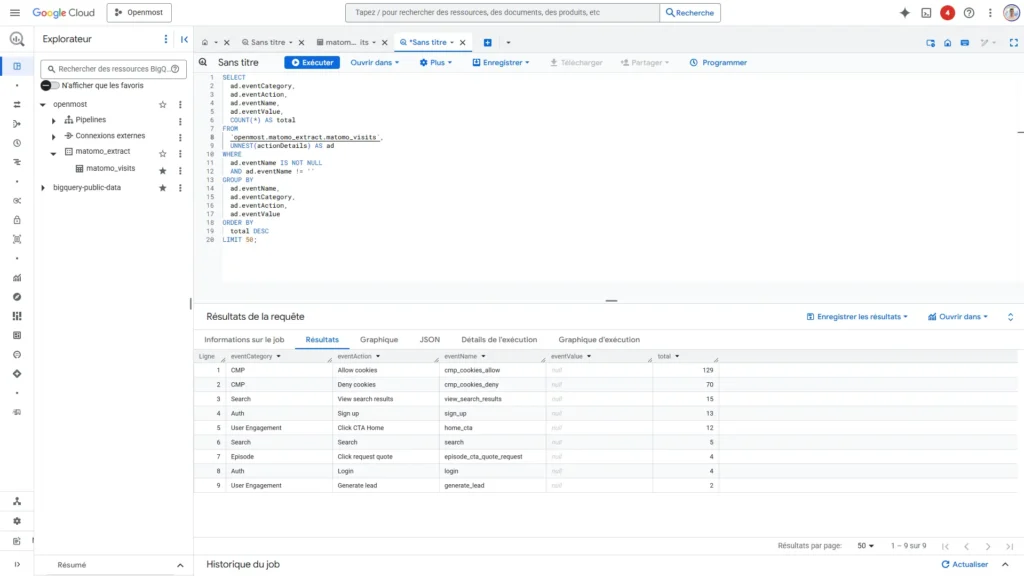
Matomo provides excellent web analytics, but keeping your visitor data isolated limits its strategic value. By exporting to BigQuery, you create a centralized data warehouse where web analytics seamlessly integrates with customer data, sales records, marketing campaigns, and operational metrics.
This unified approach reveals the complete customer journey from first website visit to final purchase, enabling attribution modeling that shows which marketing channels truly drive revenue. Instead of switching between multiple dashboards, your team gains a single source of truth that connects every touchpoint in your customer experience.
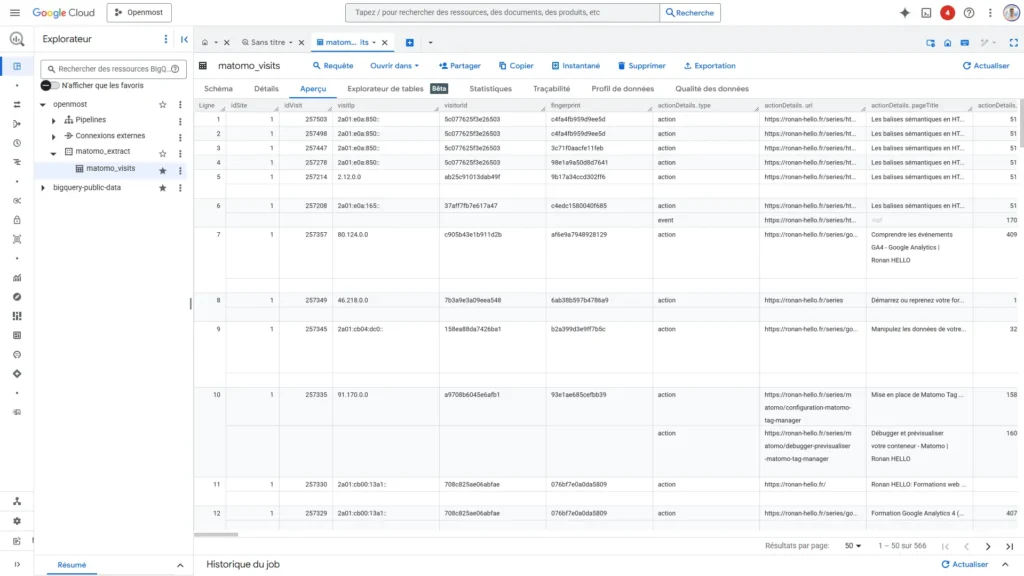
Setting up the Matomo BigQuery Importer takes just 15 minutes, with no complex configurations or technical expertise required.
The open-source nature means you have complete visibility into every line of code, ensuring you understand exactly how your data is processed and transferred. You maintain full control over export schedules, data selection, and processing rules—modify the batch size, choose specific date ranges, or customize the data schema to match your exact requirements.
Unlike third-party analytics services that operate as black boxes, you can audit the entire process, pause exports at any time, or even run historical imports to backfill missing data.
Your data remains exclusively in your Google Cloud environment, with no external services accessing or processing your visitor information.
Easily connect Matomo Tag Manager to SharePoint with a single package.

Experience the future of web analytics where complex data analysis becomes as simple as having a conversation.

Automatic dataLayer generation for your WordPress website. Get access to all contextual data with ease.

Matomo tag template available on the GTM Marketplace (Events, Goals, Custom Dimensions and Search).